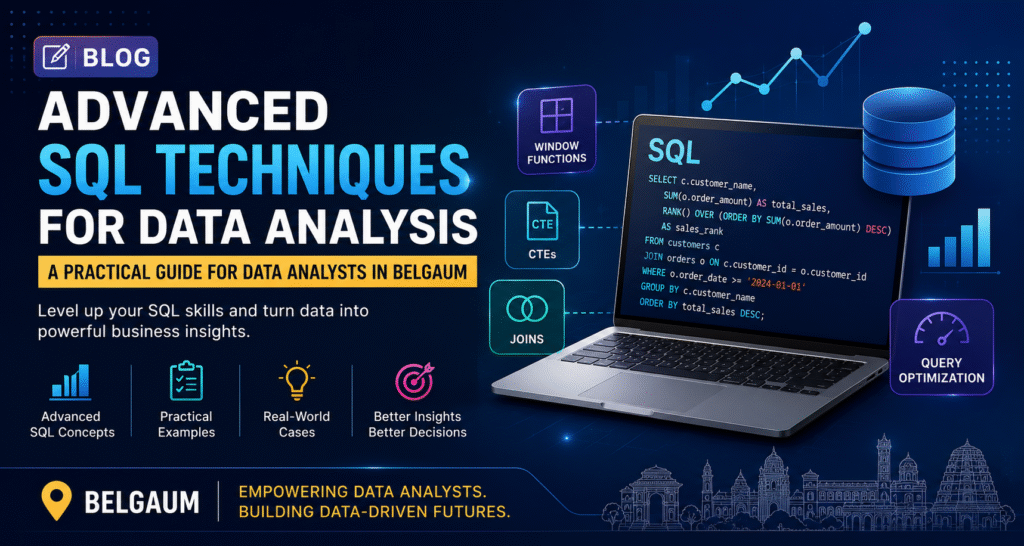
In today’s data-driven business environment, SQL (Structured Query Language) remains one of the most essential skills for data analysts. Whether you are working in retail, healthcare, manufacturing, finance, or digital marketing, the ability to extract meaningful insights from large datasets is critical for making informed business decisions. For aspiring and professional data analysts in Belgaum, mastering advanced SQL techniques can significantly improve analytical capabilities and career opportunities. While basic SQL concepts such as SELECT statements, filtering, and sorting are important, advanced SQL skills enable analysts to handle complex datasets, improve query performance, and generate deeper business insights. This guide explores some of the most valuable advanced SQL techniques, including Window Functions, Common Table Expressions (CTEs), Joins, Query Optimization, and real-world business applications. Why Advanced SQL Matters for Data Analysts Modern organizations collect vast amounts of data from multiple sources. Data analysts are expected to transform raw information into actionable insights. Advanced SQL allows analysts to: Analyze large datasets efficiently Perform complex calculations without exporting data Improve reporting accuracy Reduce query execution time Support business intelligence and decision-making Companies hiring data analysts increasingly look for candidates who can write optimized and scalable SQL queries. 1. Window Functions: Powerful Analytics Without Aggregation Loss Window functions are among the most valuable SQL features for analytical work. Unlike aggregate functions, window functions allow calculations across rows while retaining individual row details. Common Window Functions ROW_NUMBER() Assigns a unique sequential number to each row. SELECT EmployeeID, EmployeeName, Salary, ROW_NUMBER() OVER (ORDER BY Salary DESC) AS RankNumber FROM Employees; Use Case: Ranking employees based on salary while displaying all employee records. RANK() Provides ranking with gaps in case of ties. SELECT EmployeeName, Salary, RANK() OVER (ORDER BY Salary DESC) AS SalaryRank FROM Employees; Use Case: Identifying top-performing sales representatives. LAG() and LEAD() Compare current values with previous or next records. SELECT Month, Revenue, LAG(Revenue) OVER (ORDER BY Month) AS PreviousMonthRevenue FROM Sales; Use Case: Analyzing month-over-month sales growth. Business Example A retail company in Belgaum wants to compare monthly sales performance across multiple stores. Window functions help calculate growth trends without complex subqueries, making reports more efficient and easier to maintain. 2. Common Table Expressions (CTEs): Improving Query Readability As SQL queries become more complex, readability becomes essential. Common Table Expressions (CTEs) help organize complex logic into manageable sections. Basic CTE Example WITH HighValueCustomers AS ( SELECT CustomerID, TotalPurchase FROM Customers WHERE TotalPurchase > 50000 ) SELECT * FROM HighValueCustomers; Benefits of CTEs Improve query readability Simplify debugging Reduce repetition Support recursive operations Multi-Step Analysis Example WITH MonthlySales AS ( SELECT Month, SUM(SalesAmount) AS TotalSales FROM Sales GROUP BY Month ) SELECT * FROM MonthlySales WHERE TotalSales > 100000; Real-World Scenario A manufacturing company tracks production data across departments. Instead of creating lengthy nested queries, analysts can use CTEs to separate production calculations, quality metrics, and inventory summaries into structured analytical workflows. 3. Advanced Joins: Connecting Business Data Most business data resides across multiple tables. Understanding advanced joins is crucial for extracting meaningful insights. INNER JOIN Returns matching records from both tables. SELECT Customers.CustomerName, Orders.OrderID FROM Customers INNER JOIN Orders ON Customers.CustomerID = Orders.CustomerID; LEFT JOIN Returns all records from the left table. SELECT Customers.CustomerName, Orders.OrderID FROM Customers LEFT JOIN Orders ON Customers.CustomerID = Orders.CustomerID; SELF JOIN Joins a table to itself. SELECT A.EmployeeName, B.EmployeeName AS Manager FROM Employees A JOIN Employees B ON A.ManagerID = B.EmployeeID; FULL OUTER JOIN Returns all records from both tables. SELECT * FROM Customers FULL OUTER JOIN Orders ON Customers.CustomerID = Orders.CustomerID; Real-World Application A hospital management system may store patient information, appointments, doctors, and billing records in separate tables. Joins allow analysts to combine these datasets and generate comprehensive reports on patient care and operational efficiency. 4. Query Optimization: Writing Faster SQL Queries As datasets grow, poorly written queries can significantly impact database performance. Query optimization is a critical skill for data analysts. Use Indexes Effectively Indexes improve data retrieval speed. Example: CREATE INDEX idx_customerid ON Orders(CustomerID); Avoid SELECT * Instead of: SELECT * FROM Customers; Use: SELECT CustomerID, CustomerName FROM Customers; This reduces unnecessary data retrieval. Filter Early Apply WHERE conditions as soon as possible. SELECT * FROM Orders WHERE OrderDate >= '2025-01-01'; Use EXISTS Instead of IN for Large Datasets SELECT CustomerID FROM Customers C WHERE EXISTS ( SELECT 1 FROM Orders O WHERE O.CustomerID = C.CustomerID ); Analyze Execution Plans Database execution plans reveal bottlenecks and help improve performance. Business Impact A logistics company handling millions of delivery records can reduce report generation time from several minutes to a few seconds through proper indexing and query optimization techniques. 5. Real-World SQL Analysis Cases Case 1: Sales Performance Analysis Business Question: Which products generate the highest revenue? SELECT ProductName, SUM(SalesAmount) AS Revenue FROM Sales GROUP BY ProductName ORDER BY Revenue DESC; Insight: Identify best-selling products and optimize inventory planning. Case 2: Customer Retention Analysis Business Question: Which customers have not made purchases recently? SELECT CustomerID, MAX(OrderDate) AS LastPurchase FROM Orders GROUP BY CustomerID; Insight: Target inactive customers with promotional campaigns. Case 3: Employee Performance Tracking Business Question: Who are the top-performing employees? SELECT EmployeeName, SUM(SalesAmount) AS TotalSales FROM SalesRecords GROUP BY EmployeeName ORDER BY TotalSales DESC; Insight: Support performance reviews and incentive programs. Case 4: Inventory Management Business Question: Which products are nearing stock depletion? SELECT ProductName, StockQuantity FROM Inventory WHERE StockQuantity < 20; Insight: Prevent stockouts and improve supply chain efficiency. SQL Skills and Career Opportunities in Belgaum The demand for skilled data analysts is growing across Belgaum and nearby technology hubs. Organizations increasingly rely on data-driven decision-making, creating opportunities in sectors such as: Information Technology Manufacturing Healthcare Banking and Finance E-commerce Digital Marketing Logistics and Supply Chain Professionals with advanced SQL expertise often progress into roles such as: Data Analyst Business Analyst Reporting Analyst Data Engineer Business Intelligence Analyst Analytics Consultant Learning advanced SQL alongside Python, Power BI, Excel, and data visualization tools creates a strong foundation for a successful analytics career. Conclusion Advanced SQL is far more than a database querying language—it is a powerful analytical tool that helps organizations transform raw data into valuable business insights. Techniques such as Window Functions, Common Table Expressions (CTEs), Advanced Joins, and Query Optimization enable analysts to work efficiently with large datasets and solve complex business problems. For aspiring data analysts in Belgaum, mastering these advanced SQL concepts can significantly enhance analytical capabilities, improve job prospects, and prepare them for real-world data challenges. As businesses continue to embrace data-driven strategies, SQL remains one of the most important and sought-after skills in the analytics industry. Investing time in learning and practicing advanced SQL techniques today can open the door to rewarding career opportunities in data analytics tomorrow.